Most FAQ regarding subscription.
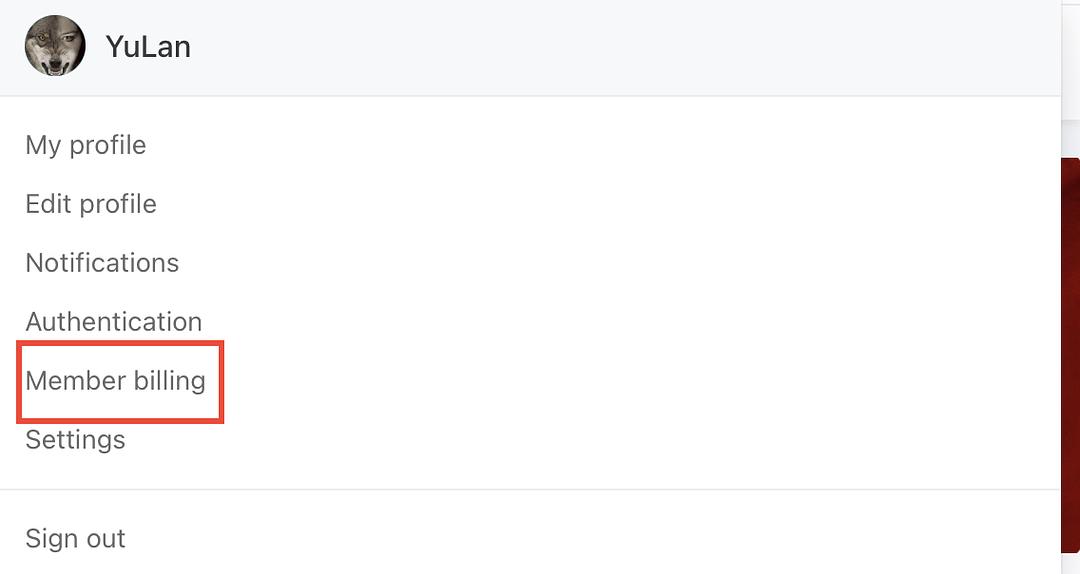
To view your subscription you click on your profile icon and select Member Billing as below…
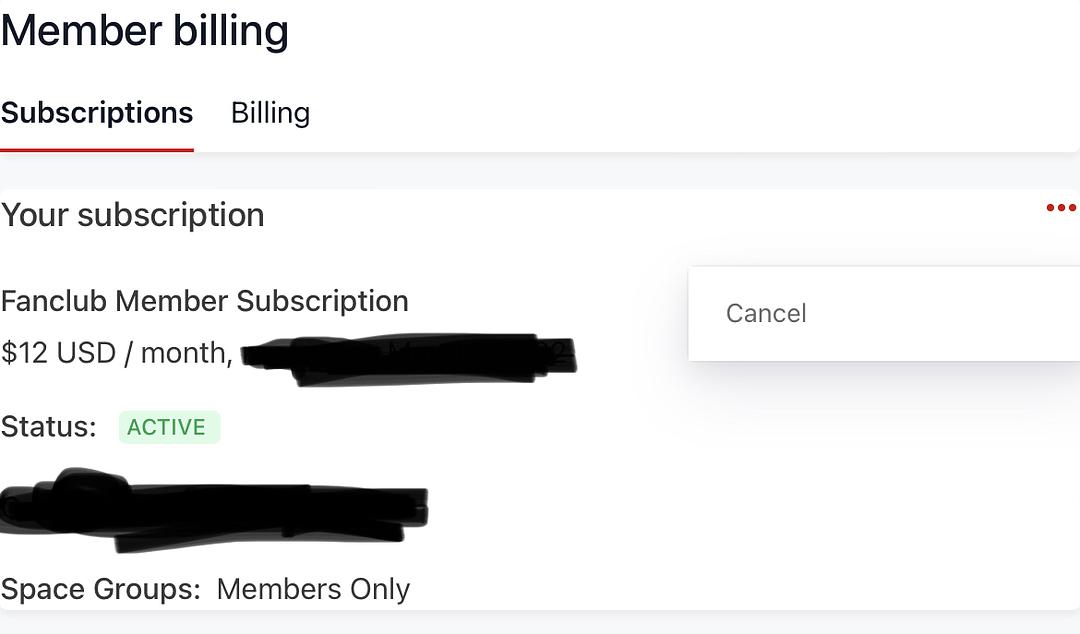
To view your subscription and billing, select the appropriate tab. Subscription for Subscription details eg canceling, when payments are processed etc.
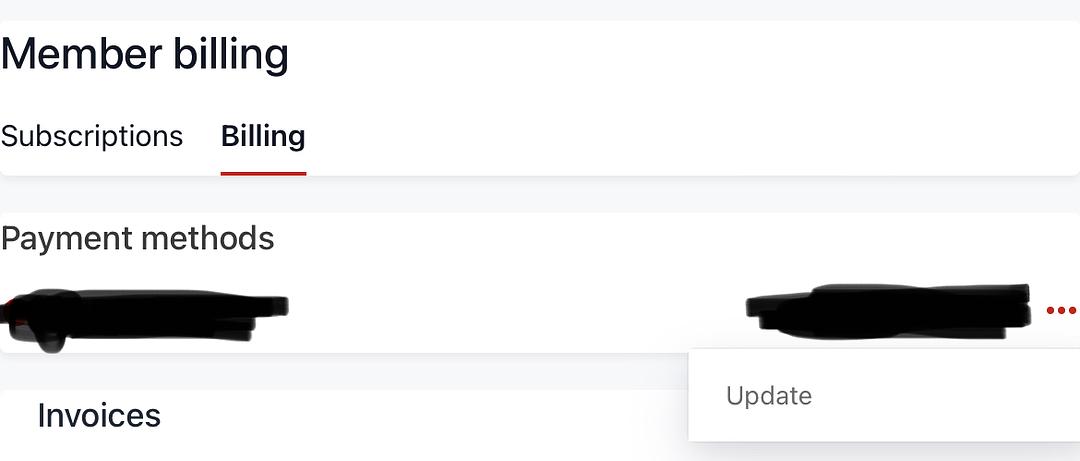
Viewing the Billing portion this is what you will see and where you can change/update your card or payment details etc.
The Circle app does not have the features to manage your subscription. Please use the webbrowser to do that.Sign in with the browser and go here: https://floorworld.floorjansen.com/account